Capture Notes
I've been maintaining a personal scrapbook of stuff like social media discussions of the day's news, with some primary source documents and full articles, because we're living in crazy times and I figure posterity will be interested in what it was like, beyond a just the facts account.
If you've never checked it out, the Slow Burn podcast makes a strong case for this, with regards to what it was like to live through Watergate.
I've been doing mostly partial screen caps to get my clippings, and sometimes going to print a page and saving as PDFs.
Sometimes this isn't great, because all the stuff I want to clip doesn't fit in one screen, or pages will have bad print stylesheets.
e.g. This statement from Nancy Pelosi: https://www.democraticleader.gov/newsroom/52318/
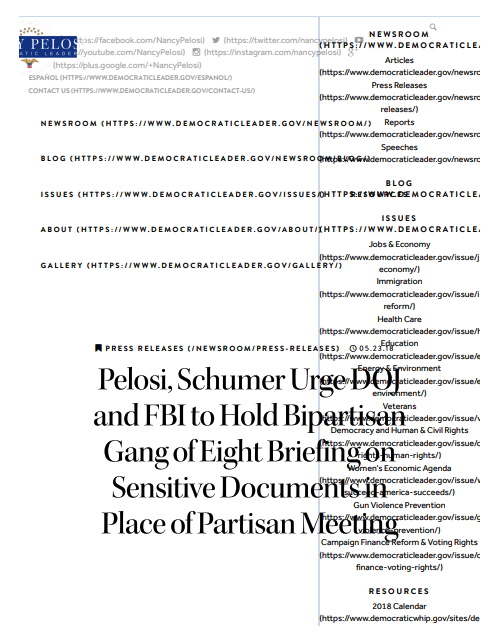
When you try to save as PDF, it's a busted mess:
And the page is too long to just do a screen clip.
In these cases, in Chrome, you can right click and select Inspect, which will open the developer tools for exploring the HTML tree, adjust the scope as necessary, then hit cmd+shift+p to open the command menu, and type in capture, and select Capture node screenshot.
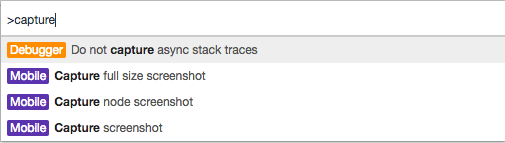
And this will capture an image of the full DOM node:
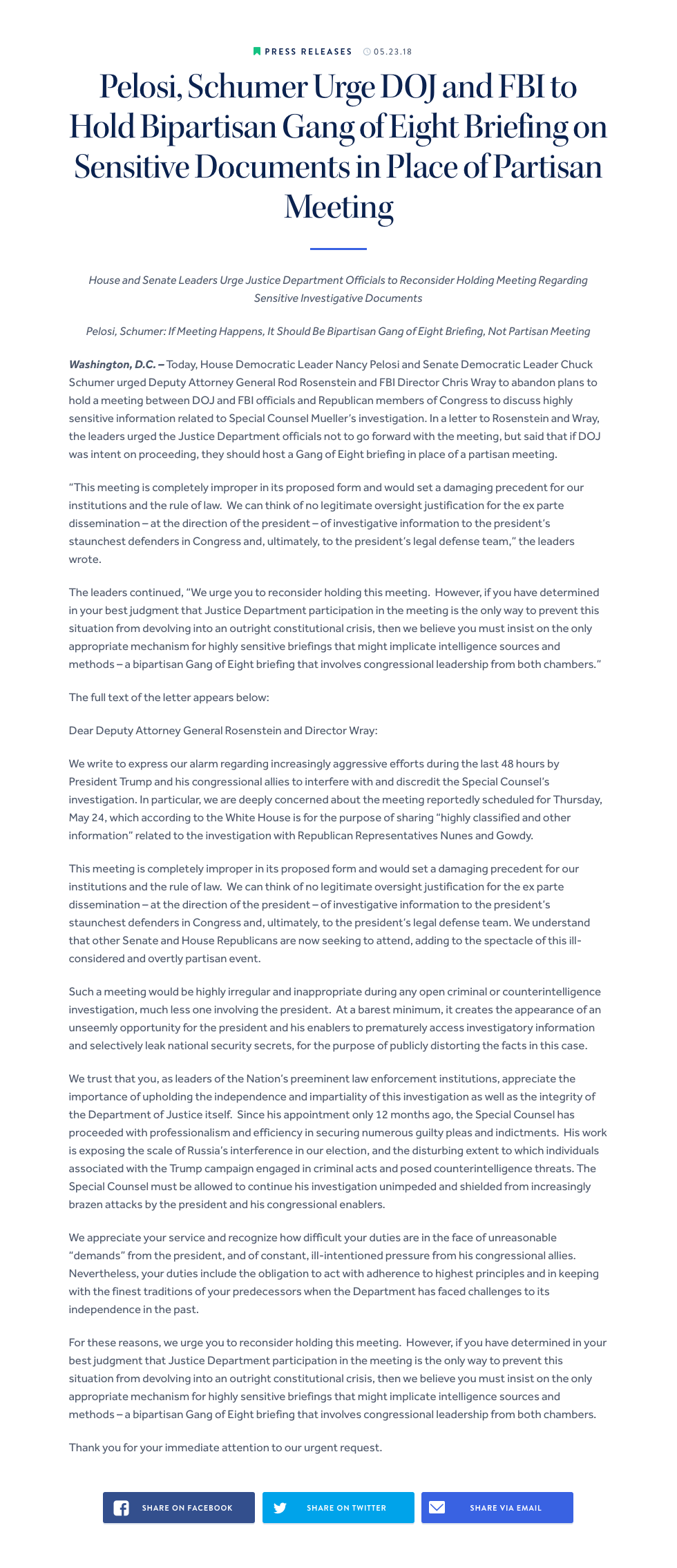
Nice and clean. Great browser feature.